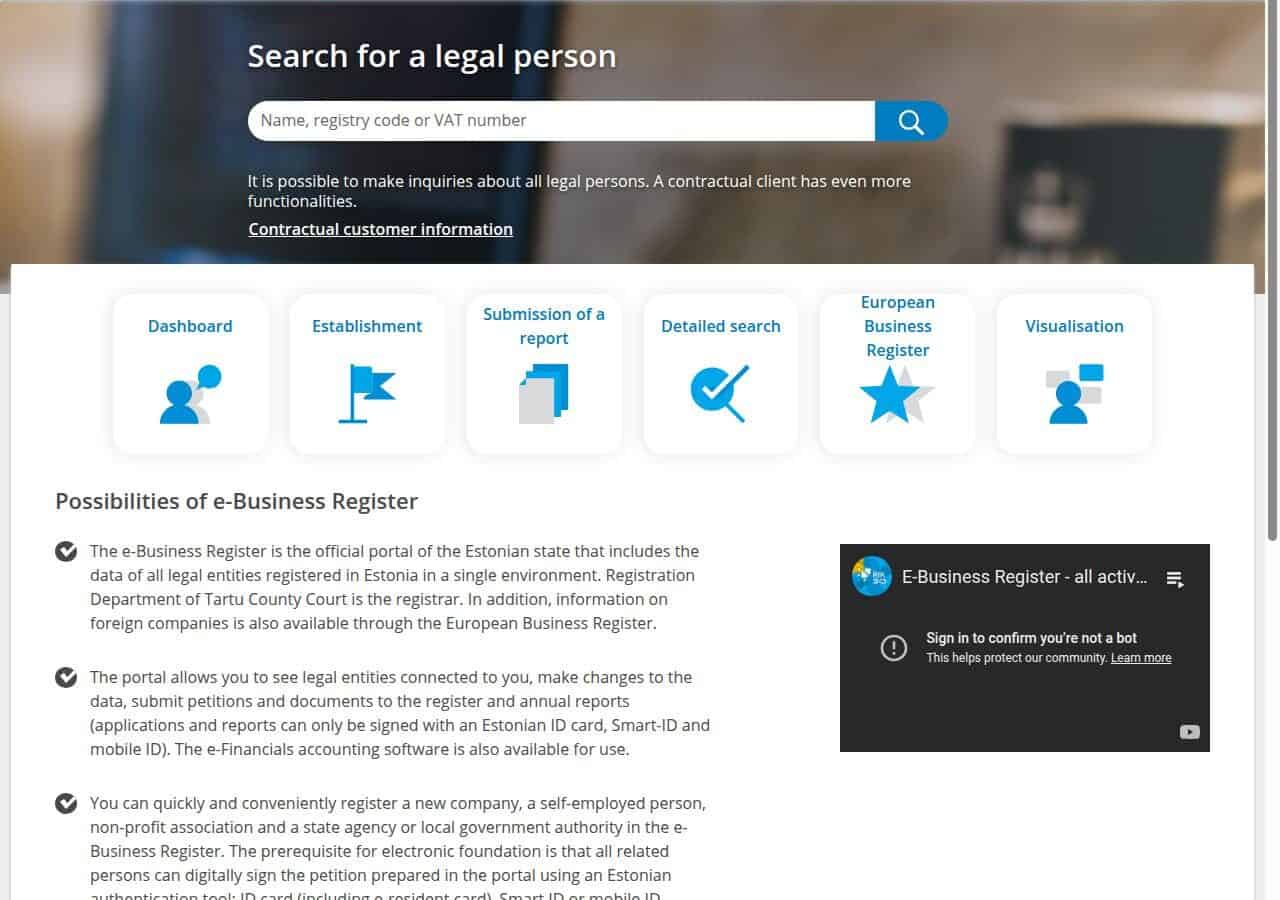
To change your Estonian company address in the e-Business Register is a straightforward online process that takes a few minutes and requires no physical presence in Estonia. This ensures your company stays compliant and that important mail from authorities reaches you.
The good news? The process is fully online and only takes a few minutes.
Step 1 — Log In to the e-Business Register
- Go to ariregister.rik.ee.
- Log in using your ID card, Smart-ID, or e-Residency card.
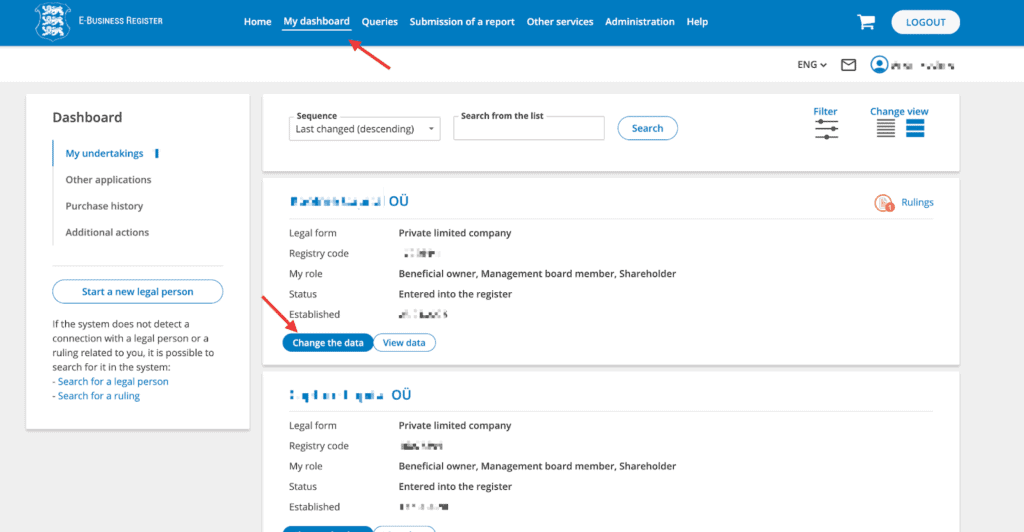
- On My Dashboard, choose the company you want to update and click “Change the data.”
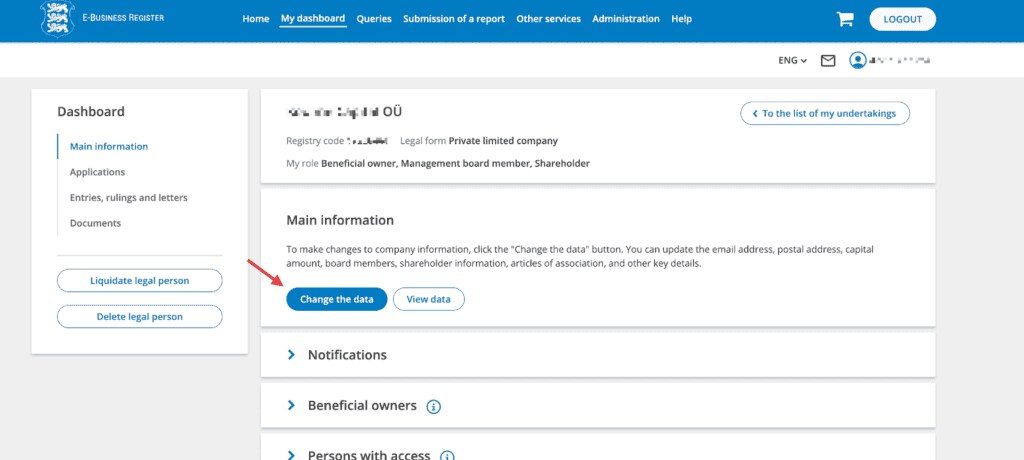
Step 2 — Open Main Information
Inside the Main information section, click “Change the data” again to begin editing.
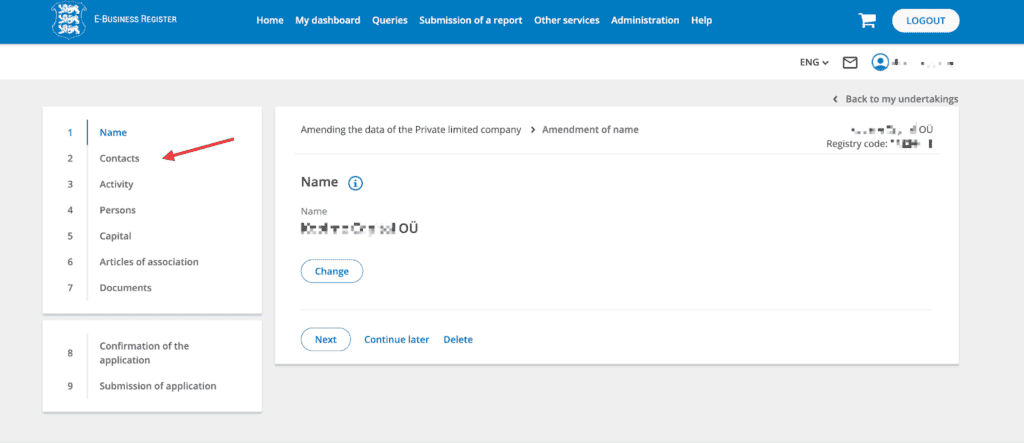
Step 3 — Go to Contacts
In the company change view, select the “Contacts” tab from the menu on the left.
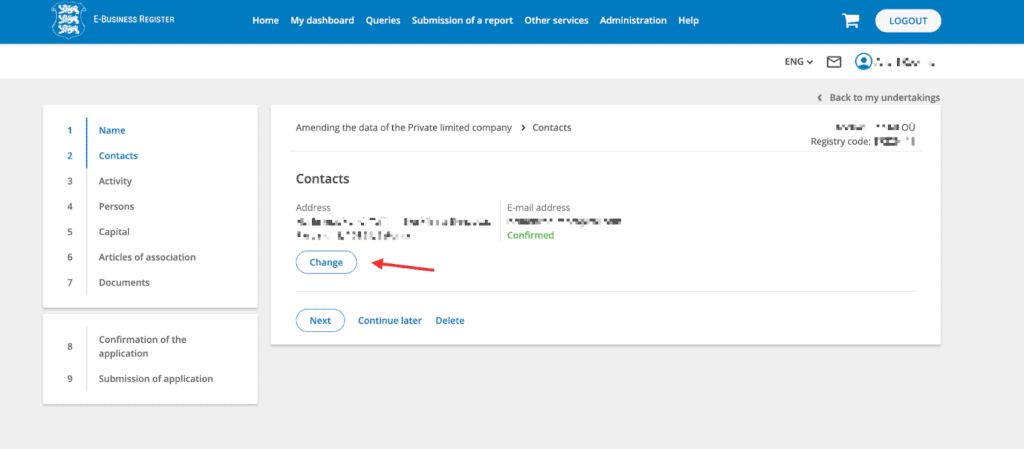
Step 4 — Edit Contacts
Once your company’s contact information appears, click “Change.”
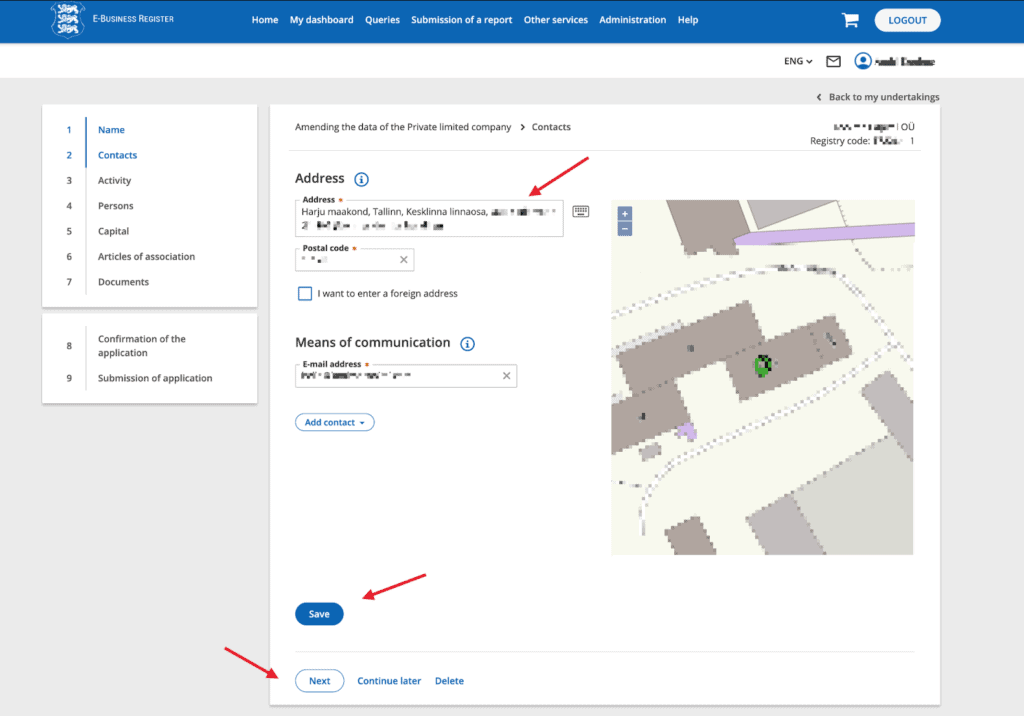
Step 5 — Enter the New Address
- In the Address field, type your new legal address.
- The system will validate the address and fill in the postal code automatically.
- Update your email address if necessary.
- Click Save.
Step 6 — Confirm Changes
Check that the new address is displayed correctly.
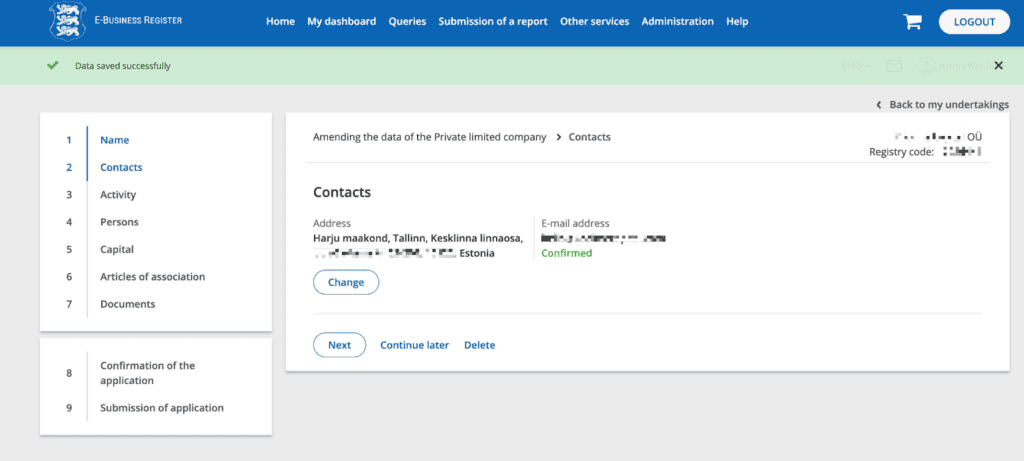
If everything looks right, click Next to move through the remaining pages.
👉 You usually don’t need to upload additional documents for an address change.
Step 7 — Sign and Submit
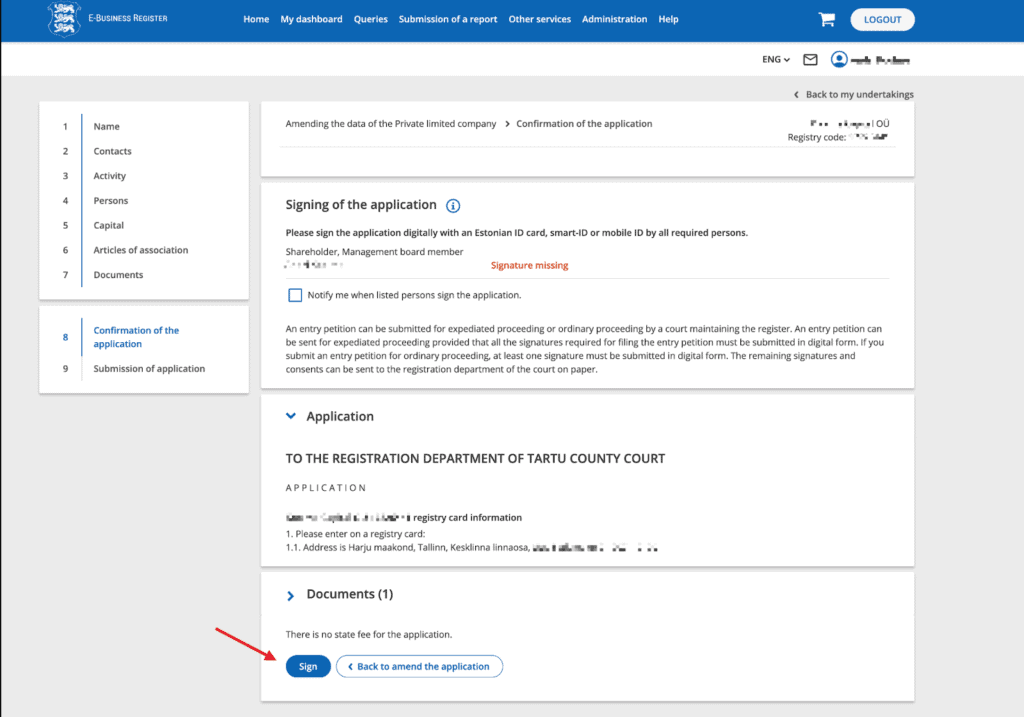
- On the Signing of the application page, click Sign.
- Sign the application with your ID card or e-Residency card.
- Submit the application.
You’ll receive an email once the change has been processed. This typically takes a few business days.
Final Thoughts
Changing your company’s address in Estonia is a quick online procedure. By keeping your contact details up to date in the register, you ensure smooth communication with the authorities and full legal compliance.
If you need a compliant Estonian legal address, see our Standard plan or compare pricing and plans.